
Add New Product
PaperClip Home > Products & Suppliers > Products
Adding New Products from D-Point
About D-Point
D-Point is Paperclip’s curated product database, containing the most commonly used products in the UK renewables market — including solar PV modules, inverters, batteries, and more.
Each entry includes verified technical information and datasheets, saving you from having to search online or manually input details.
By using D-Point, you ensure consistent, accurate product data across all your projects.
Products added from D-Point can be linked directly to your suppliers for full compliance traceability.
To Access Your Product Library
PaperClip Home > Products & Suppliers > Products
Adding a Product from D-Point
📍Step 1 - Actions > + Add New Product
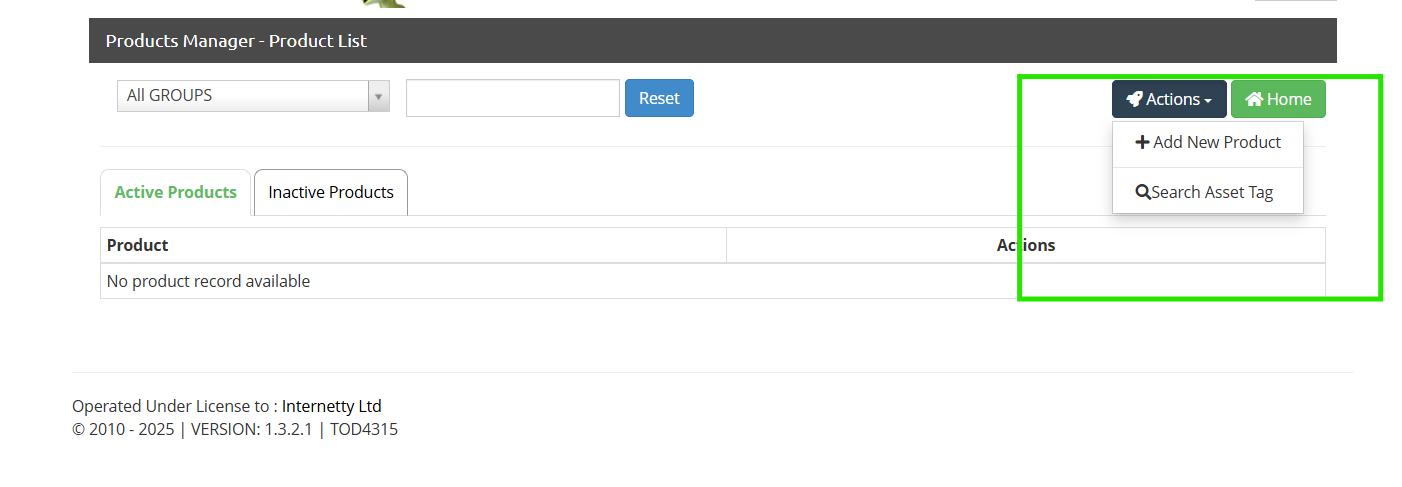
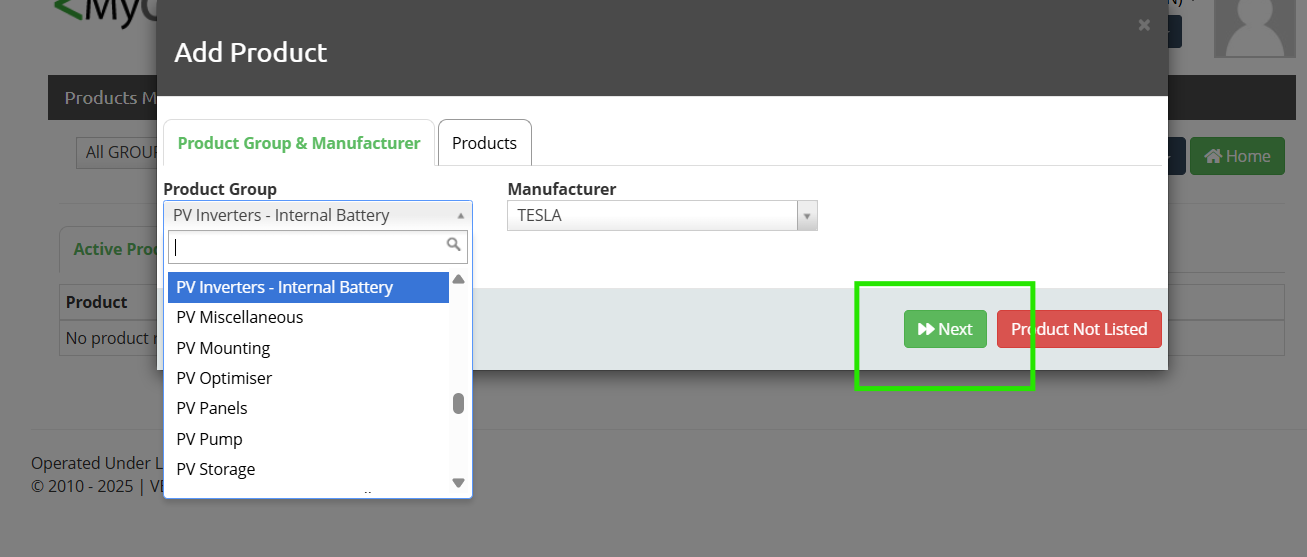
📍Step 2 - Select Product Group and Manufacturer from the drop-down menus and then click >> Next
📍Step 3 - Select the desired product from the list, then click Save Product
🔎 Note: You can only add one product at a time. Do not attempt to select multiple products in a single action.
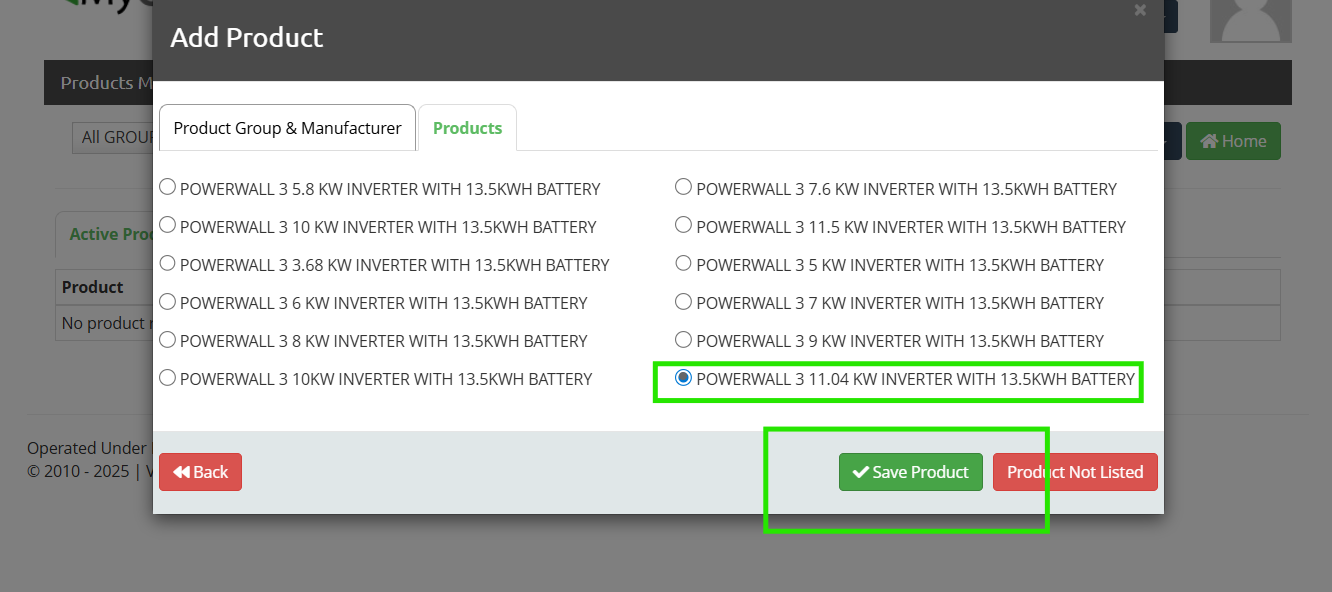
If your product is not listed, select “Product Not Listed” and continue with the steps under Manually Adding New Products.
Manually Adding New Products
If your product is not available in D-Point, you can add it manually. This ensures all non-listed products are still recorded for compliance and available in your proposals, certificates, and handover packs.
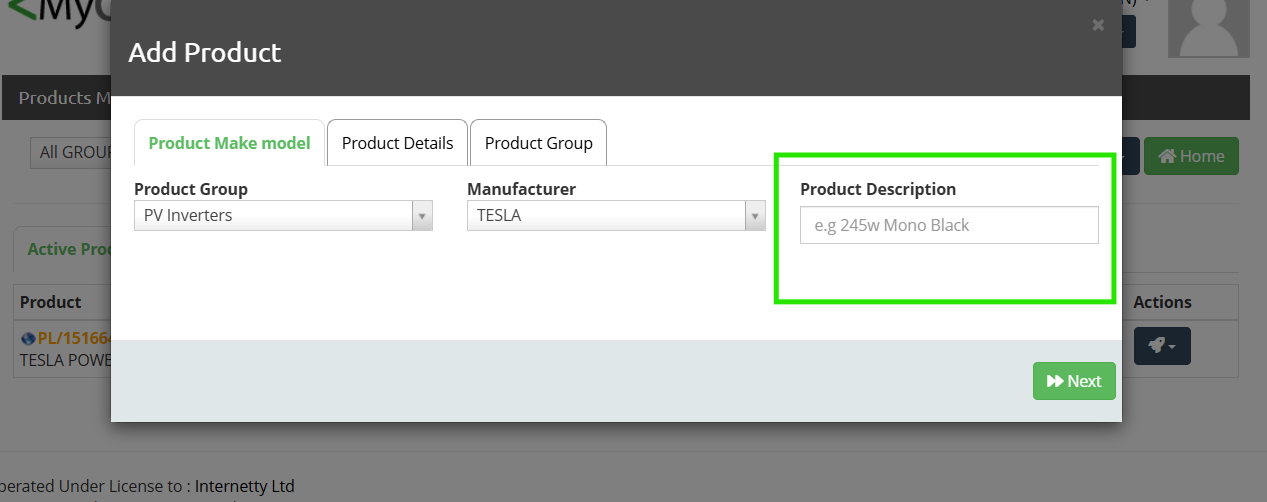
📍Step 1 - Add your Product Description and then click >>Next
🔎 Note: This description will appear when searching for products while generating client proposals. Ensure it contains a clear and identifiable product description.
📍Step 2 - Depending on the Product Group being added, different details will be required. Fill in all mandatory fields, which may include:
Fill in all of the required fields, which may include:
Model / Product Name
MCS Product Database Reference (if applicable)
Key Technical Specifications (e.g. output rating, capacity)
Warranty information (upload document if available)
You must use the official product specification and datasheet to ensure all information entered is accurate.
Step 3 - Click Save Product
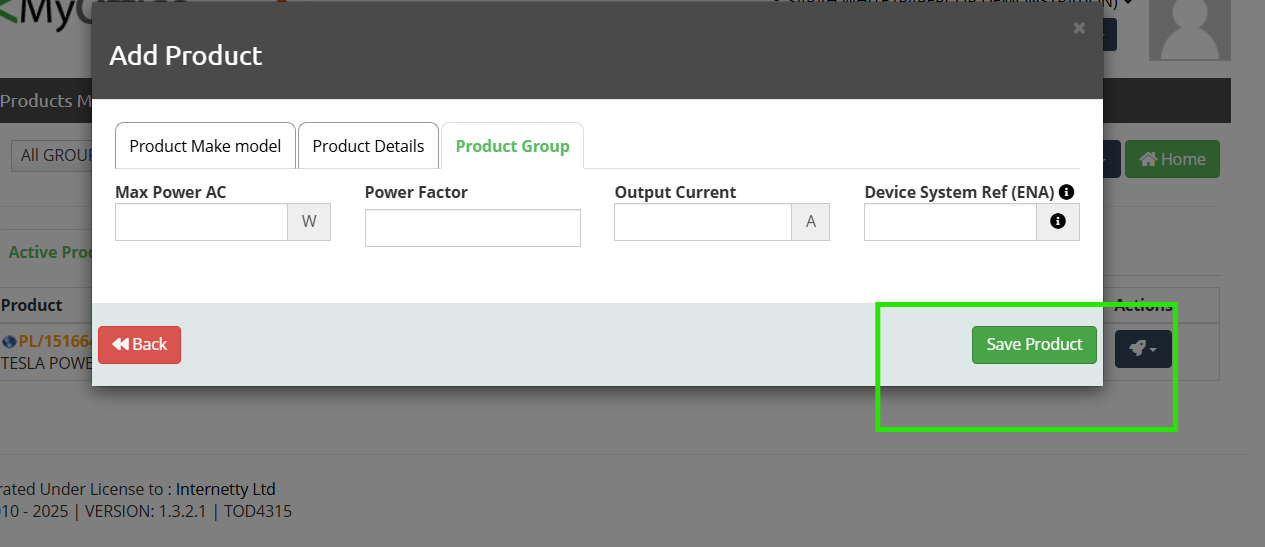
For MCS-registered products, you must check and enter the MCS Product Reference Number.
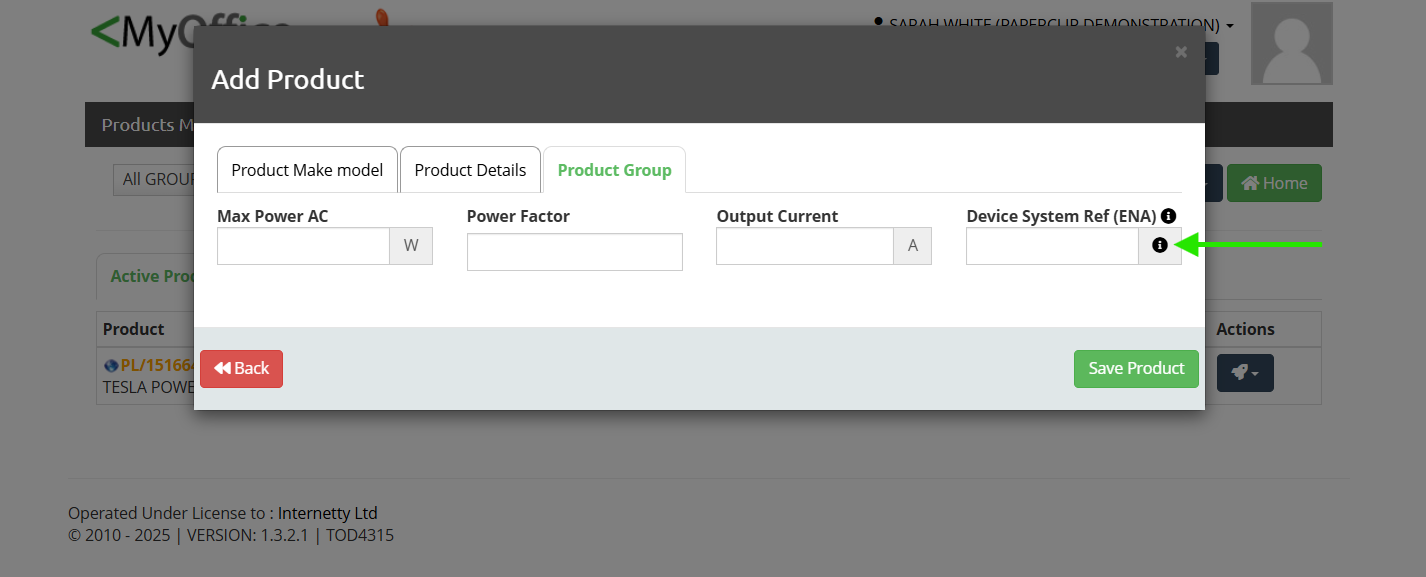
For products requiring DNO registration, you must enter the System Connection Reference (from the ENA register).
See the Product Compliance Checks section for full details.
📍Step 4 - Click Datasheets
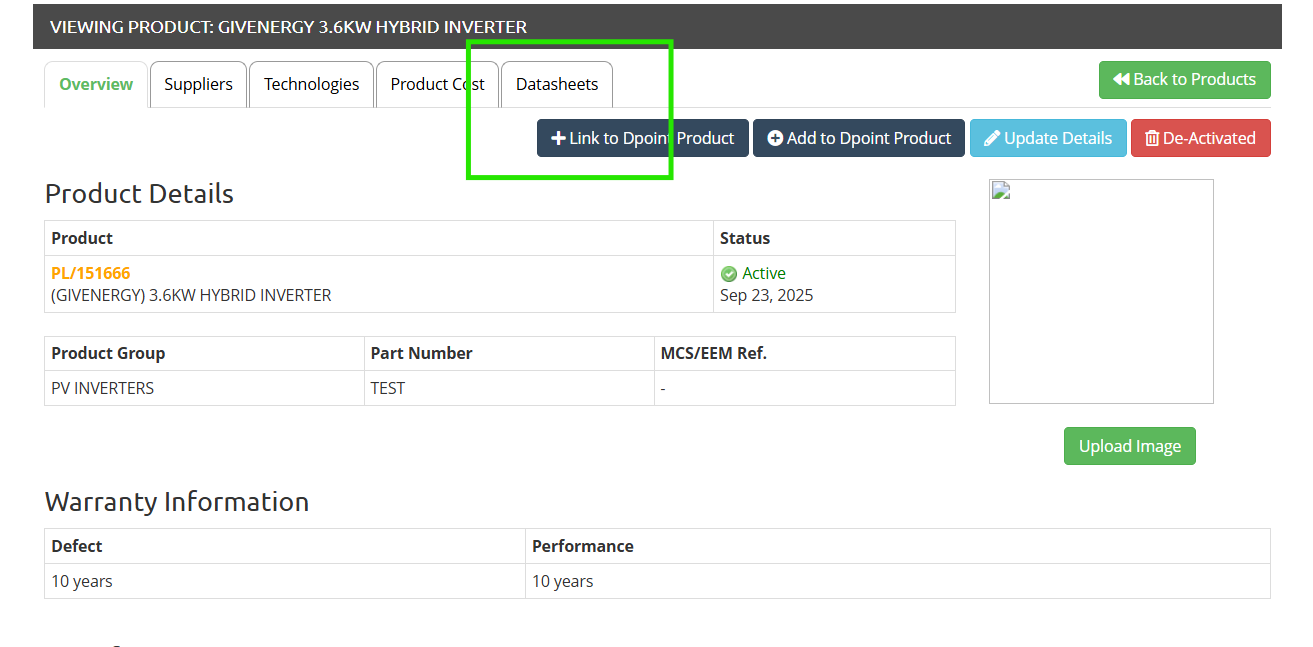
You will need to upload the documents used to input the product details to the product record as evidence of the information you’ve input and for inclusion with any client proposals generated and sent through Paperclip. This ensures that the minimum technical information required under MCS rules is always supplied to clients.
Product Compliance Checks
When adding products, you must ensure the correct compliance references are recorded.
MCS Product References
For any product that must be registered with MCS (e.g. PV modules, roof mounting systems, inverters, heat pumps, biomass boilers), you must enter the MCS Product Reference Number.
This number can be verified using the MCS Product Directory MCS Product Directory
The MCS directory is the only accepted source for these references.
DNO System Connection References
Grid-connected products such as inverters and batteries require registration with the Distribution Network Operator (DNO).
Enter the System Connection Reference from the ENA (Energy Networks Association) live register.
For products that require Distribution Network Operator (DNO) registration (e.g. inverters, batteries, or other grid-connected equipment), you must add the System Connection Reference Number from the ENA (Energy Networks Association) website ENA - Type Test Database
The product screen in Paperclip includes a direct link to the ENA live register, so you can quickly search and confirm the correct reference.
📍Why It’s Important
Without valid references, MCS certificates cannot be generated.
Ensures your installation meets grid compliance (ENA) and MCS audit requirements.
Provides a clear audit trail of product approval and compliance.
Updated about 1 year ago